

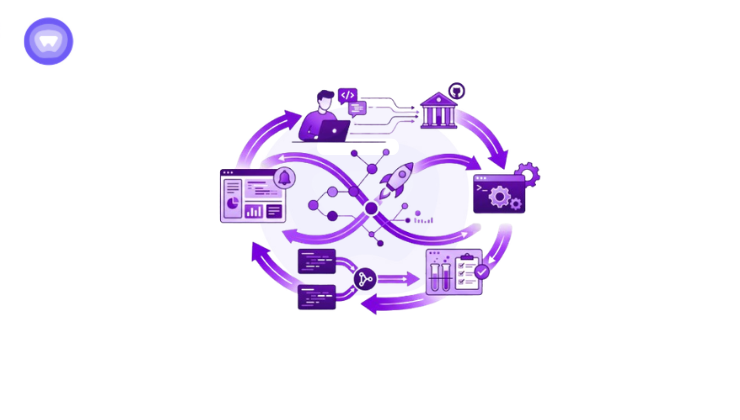
- CI/CD pipelines automate software development, testing, and deployment workflows to help teams release updates faster and with fewer errors.
- Continuous Integration focuses on merging and testing code changes frequently, while Continuous Delivery and Continuous Deployment streamline the release process.
- Automated testing, security validation, and monitoring improve software reliability and reduce deployment failures across development environments.
- CI/CD pipelines help remote and distributed engineering teams collaborate more efficiently by creating consistent and centralized workflows.
- Secure access to cloud infrastructure, repositories, and deployment systems is essential for protecting CI/CD environments, especially for organizations managing remote development teams.
Software development has shifted toward frequent, incremental releases across cloud-based and distributed systems. This has increased the need for consistent, reliable, and fast delivery processes that reduce errors during deployment.
CI/CD pipelines address this by automating how code is integrated, tested, and released. Continuous Integration ensures code changes are validated regularly, while Continuous Delivery and Continuous Deployment streamline the path from development to production.
What Is a CI/CD Pipeline?
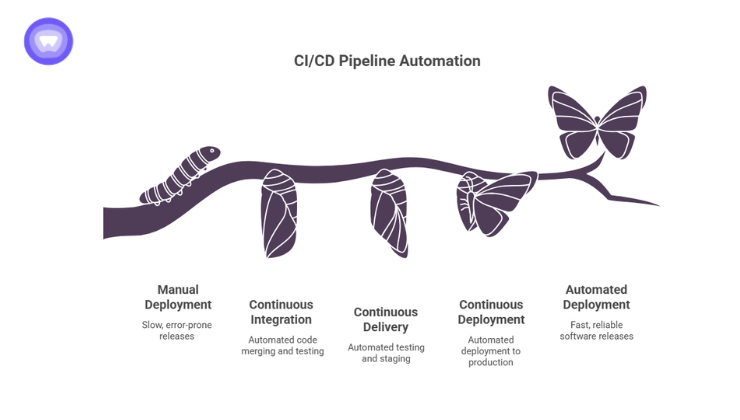
A CI/CD pipeline is an automated workflow that moves software changes through development, testing, and deployment stages.
The term combines two connected practices:
- Continuous Integration (CI)
Developers frequently merge code into a shared repository where automated tests verify changes immediately. - Continuous Delivery or Continuous Deployment (CD)
Code that passes testing moves automatically toward staging or production environments.
The pipeline acts like a quality control system for software delivery.
Instead of manually checking every update, the system validates code continuously through automation.
A typical pipeline handles tasks such as:
- Pulling new code from repositories
- Running automated tests
- Checking security vulnerabilities
- Building application packages
- Deploying updates to servers or cloud infrastructure
- Monitoring deployment health
Without pipelines, engineering teams often rely on manual deployments that increase human error and slow release cycles.
Continuous Integration Explained
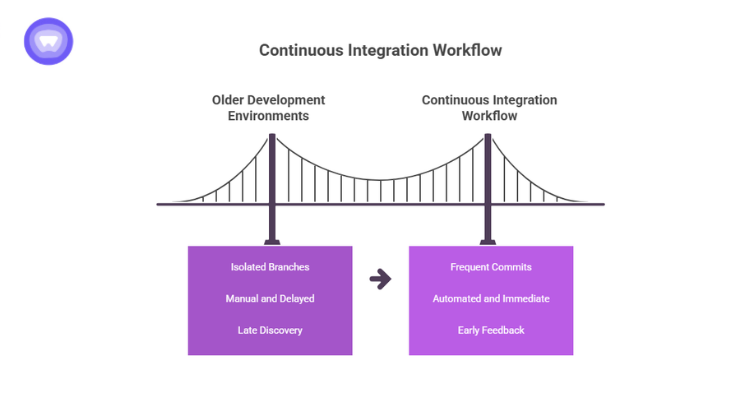
Continuous Integration focuses on combining code changes frequently and validating them automatically.
In older development environments, developers worked on isolated branches for long periods before merging changes. This created conflicts, broken builds, and deployment delays.
CI changes that workflow completely.
Developers commit smaller updates regularly, often multiple times per day. Each commit triggers automated actions such as:
- Unit testing
- Dependency validation
- Code linting
- Build verification
- Security scanning
If something fails, teams receive immediate feedback.
This early detection prevents small issues from turning into larger production failures.
Key Benefits of Continuous Integration
Organizations adopting automation across development and delivery pipelines reported improved software quality and faster release velocity.
| Benefit | Impact on Development Teams |
| Faster bug detection | Issues are identified immediately after code commits |
| Reduced merge conflicts | Smaller, frequent updates simplify collaboration |
| Better code quality | Automated testing catches errors consistently |
| Faster development cycles | Teams spend less time troubleshooting deployments |
| Improved collaboration | Shared repositories keep teams aligned |
Continuous Delivery vs Continuous Deployment
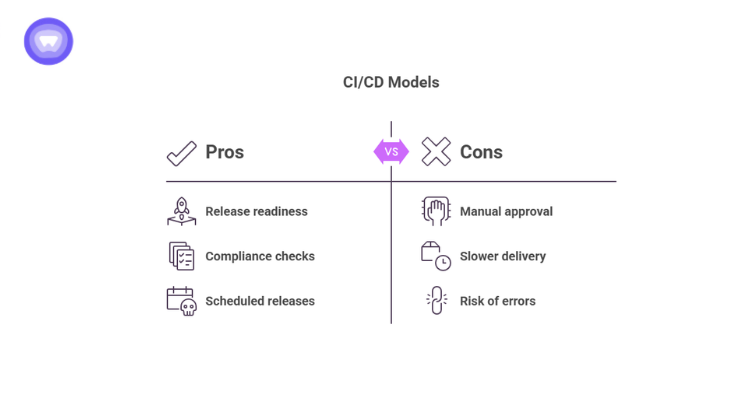
The “CD” portion of CI/CD creates confusion because it can mean either Continuous Delivery or Continuous Deployment.
The difference comes down to how much automation exists before production release.
Continuous Delivery
Continuous Delivery automates testing and preparation for deployment, but production releases still require manual approval.
The software remains release ready at all times.
This model works well for organizations that need compliance checks, management approvals, or scheduled releases.
Continuous Deployment
Continuous Deployment takes automation one step further.
If code passes every validation stage, the system deploys it directly into production automatically.
No manual approval step exists.
Large SaaS platforms and cloud native companies often use this approach because it enables rapid feature delivery.
| Practice | Human Approval Required? | Typical Use Case |
| Continuous Delivery | Yes | Enterprises with review processes |
| Continuous Deployment | No | High velocity SaaS and cloud platforms |
How a CI/CD Pipeline Works
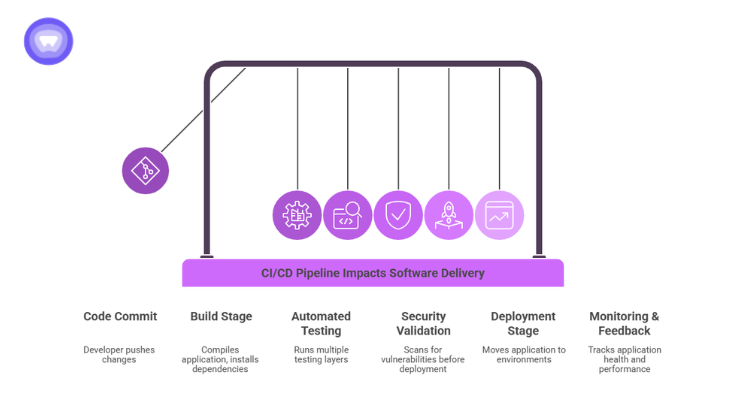
Although pipelines vary between organizations, most follow a similar structure.
1. Code Commit
A developer pushes changes to a shared repository such as GitHub or GitLab.
This action triggers the pipeline automatically.
2. Build Stage
The system compiles the application and installs dependencies.
If the build fails, the pipeline stops immediately.
3. Automated Testing
The pipeline runs multiple testing layers, including:
- Unit tests
- Integration tests
- API tests
- UI tests
- Regression tests
Automation is critical here.
Elite engineering teams rely heavily on automated testing to maintain high deployment frequency without increasing failure rates.
4. Security Validation
Modern pipelines increasingly include security scanning before deployment.
This may involve:
- Secret detection
- Dependency vulnerability checks
- Container scanning
- Infrastructure as Code validation
Security integrated into development pipelines is commonly called DevSecOps.
5. Deployment Stage
Once validation succeeds, the application moves into staging or production environments.
Deployment methods may include:
- Blue green deployments
- Canary releases
- Rolling updates
- Container orchestration with Kubernetes
6. Monitoring and Feedback
After deployment, monitoring systems track:
- Application health
- Error rates
- Latency
- Infrastructure performance
If problems appear, teams can roll back changes quickly.
Why CI/CD Pipelines Matter for Modern Businesses
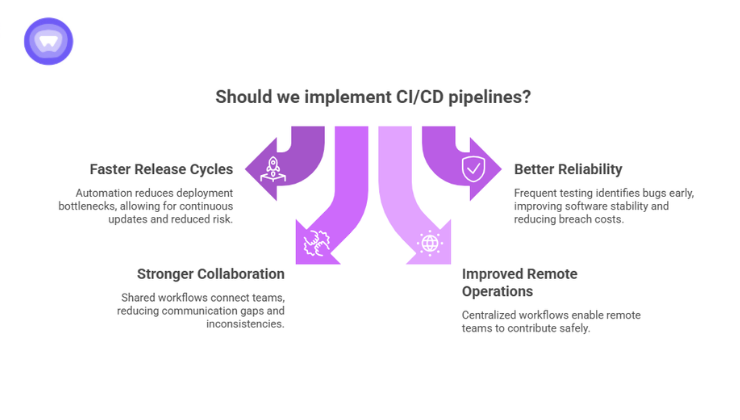
CI/CD pipelines are not only for large tech companies.
Businesses across industries now depend on software delivery speed.
Internal applications, customer portals, mobile apps, APIs, and cloud platforms all require continuous updates.
Manual deployment processes struggle to keep up.
Faster Release Cycles
Automation reduces deployment bottlenecks significantly.
Teams can release smaller updates continuously instead of waiting for large scheduled launches.
This reduces risk because smaller changes are easier to test and troubleshoot.
Better Reliability
Frequent testing improves software stability.
Instead of discovering bugs during production outages, teams identify problems during development stages.
Organizations using security AI and automation experienced lower breach related costs compared to those without automation practices.
Stronger Collaboration Across Teams
CI/CD pipelines connect developers, operations, QA, and security teams through shared workflows.
Everyone works from the same deployment process.
This reduces communication gaps and inconsistent environments.
Improved Remote Development Operations
Distributed engineering teams rely heavily on centralized workflows.
CI/CD pipelines allow developers across different locations to contribute safely without disrupting production systems.
This has become increasingly important as companies continue operating remote and hybrid engineering environments.
Common CI/CD Tools
Several platforms help organizations build and manage CI/CD pipelines.
Popular tools include:
| Tool | Primary Function |
| Jenkins | Open source automation server |
| GitHub Actions | Native GitHub workflow automation |
| GitLab CI/CD | Integrated DevOps pipeline platform |
| CircleCI | Cloud based automation platform |
| Azure DevOps | Enterprise development and deployment workflows |
| Argo CD | Kubernetes focused continuous delivery |
Most organizations combine multiple tools depending on infrastructure needs.
For example:
- GitHub for source control
- Jenkins for automation
- Docker for containers
- Kubernetes for orchestration
- Terraform for infrastructure provisioning
Security Risks Inside CI/CD Pipelines
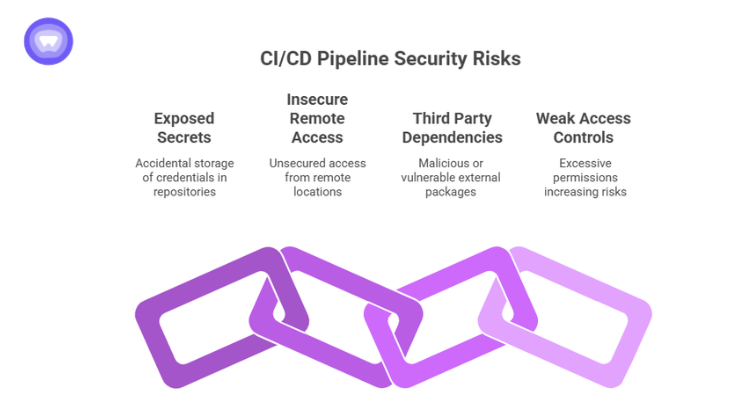
CI/CD pipelines improve speed, but they also create new attack surfaces.
Attackers increasingly target software supply chains because pipelines often contain:
- Production credentials
- Cloud access tokens
- API keys
- Deployment permissions
- Internal repositories
A compromised pipeline can affect every deployed application.
This became especially visible after several high profile software supply chain attacks over recent years.
Common Pipeline Security Risks
Exposed Secrets
Developers sometimes accidentally store credentials inside repositories or configuration files.
Attackers scan repositories constantly for exposed secrets.
Insecure Remote Access
Remote engineering teams often access build servers, staging environments, and cloud infrastructure from different networks and locations.
Unsecured access creates unnecessary exposure.
Third Party Dependencies
Modern applications depend heavily on external packages and libraries.
Malicious or vulnerable dependencies can enter production environments through automated pipelines.
Weak Access Controls
Too many permissions across repositories and deployment systems increase insider and external risks.
Best Practices for Building an Effective CI/CD Pipeline
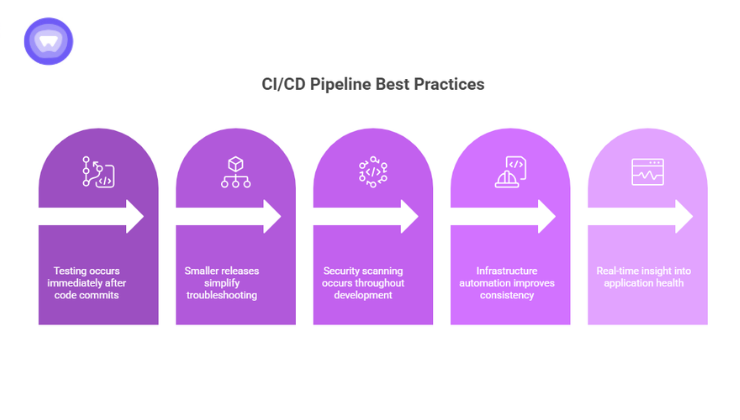
Strong pipelines balance speed, reliability, and security.
Automate Testing Early
Testing should happen immediately after code commits.
Early validation reduces debugging time later in the process.
Keep Deployments Small
Smaller releases simplify troubleshooting and rollback procedures.
Integrate Security Into the Pipeline
Security scanning should exist throughout development rather than only before production release.
Use Infrastructure as Code
Infrastructure automation improves consistency across environments.
Monitor Everything
Deployment visibility matters as much as automation itself.
Teams need real time insight into application health and pipeline performance.
Supporting Secure CI/CD Operations with PureWL
CI/CD pipelines connect developers to critical infrastructure every day, including cloud servers, internal repositories, staging environments, deployment systems, and Kubernetes clusters. As remote engineering teams grow, maintaining secure access across these environments becomes harder to manage consistently. Unsecured connections and shared access points increase operational risk throughout the software delivery process.
PureWL White Label VPN Solution helps businesses support secure remote development operations through scalable white label VPN infrastructure. Teams can create encrypted access environments for developers, contractors, and distributed engineering teams while maintaining controlled connectivity to internal systems, deployment environments, and cloud resources used throughout CI/CD workflows.
Final Thoughts
CI/CD pipelines changed how modern software gets delivered.
What once required manual coordination between development, testing, and operations teams now happens through automated workflows running continuously in the background.
The result is faster releases, fewer deployment failures, improved collaboration, and stronger operational consistency.
As software delivery becomes increasingly distributed across cloud environments and remote teams, the role of secure, automated pipelines continues growing. Businesses that invest in reliable CI/CD practices position themselves to ship software faster while maintaining stability, visibility, and control.